Website Headshot Guide
A great headshot helps you present a consistent, professional image across your website and marketing materials. Follow the guidelines below to capture a high-quality photo with just a smartphone—no professional photographer required.
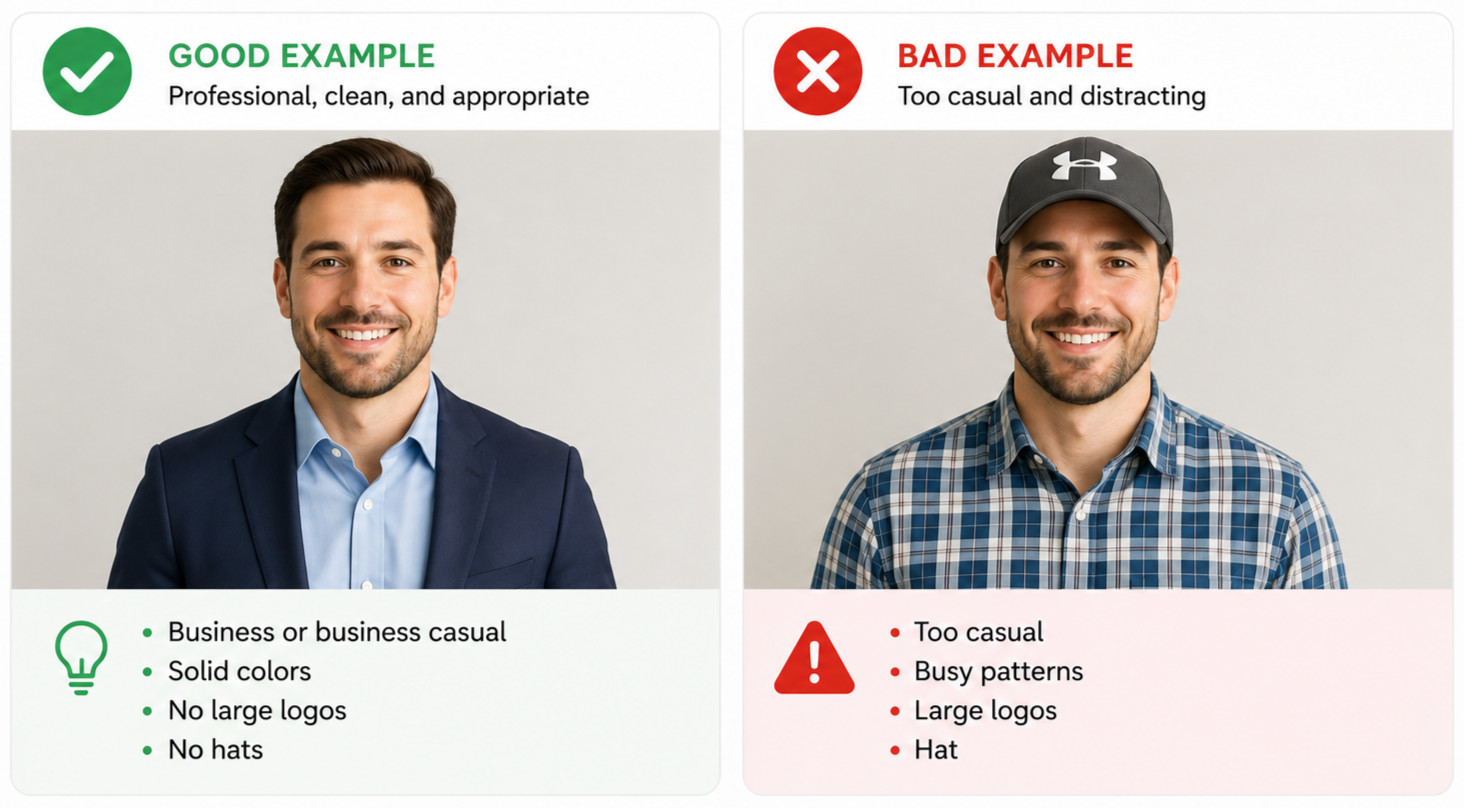
1. Look Client-Ready
Wear what you would typically wear when meeting with clients, solid colors when possible, and no busy patterns, large logos, or hats.
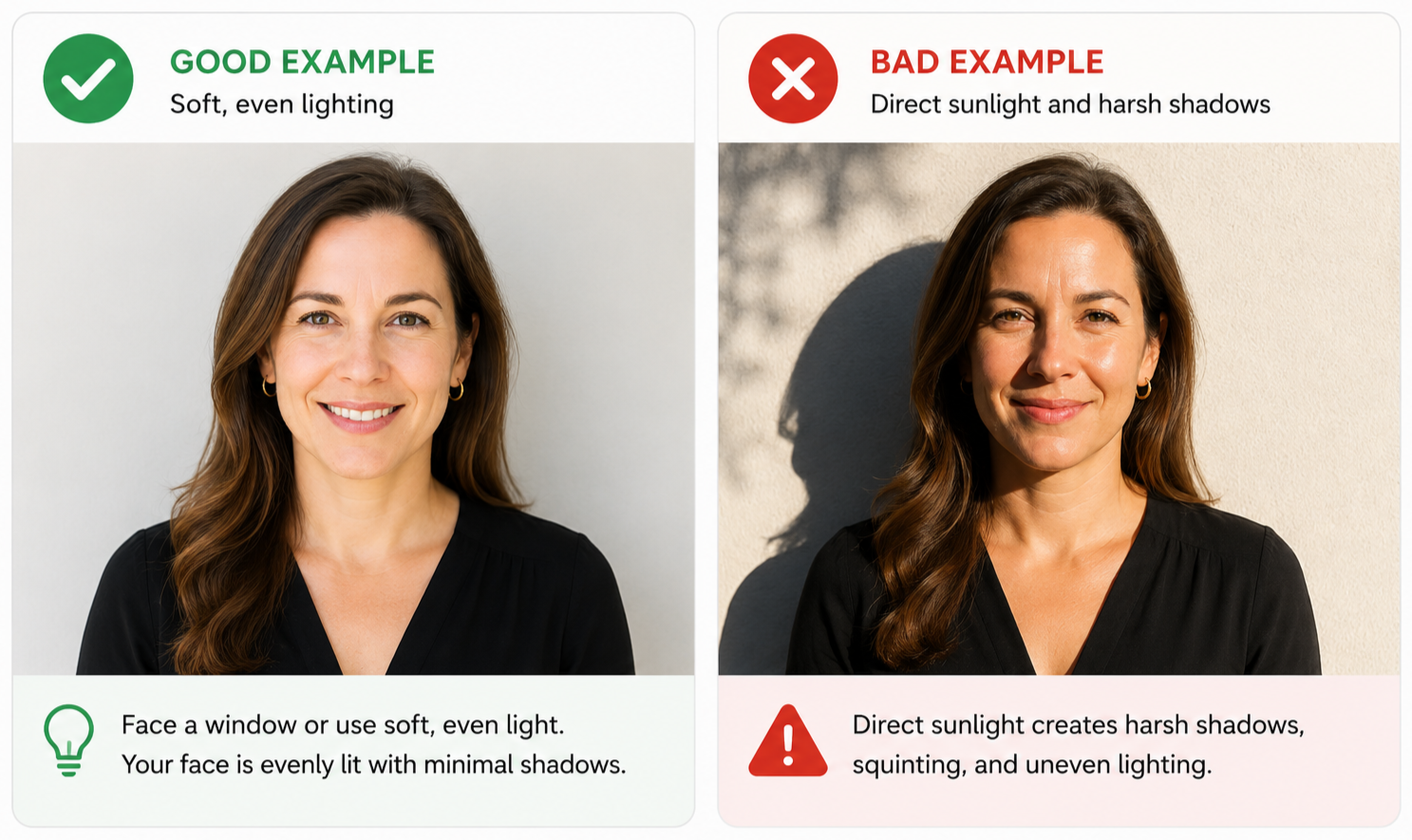
2. Use Soft Window Light
Use soft, natural window light and avoid direct sunlight, harsh shadows, or competing room lights.
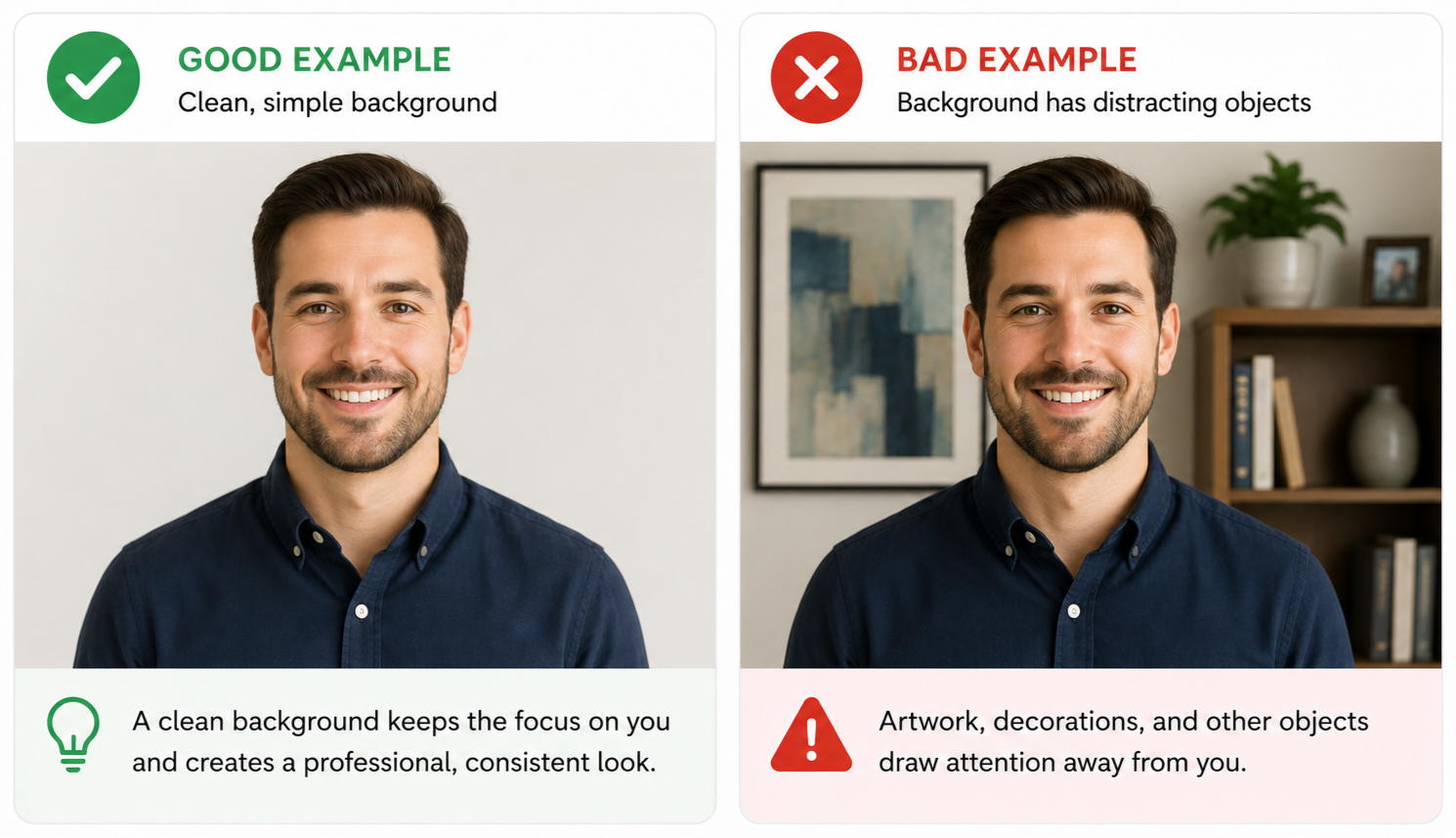
3. Use a Clean Background
Stand in front of a plain, neutral wall with no decorations, clutter, or window directly behind you.
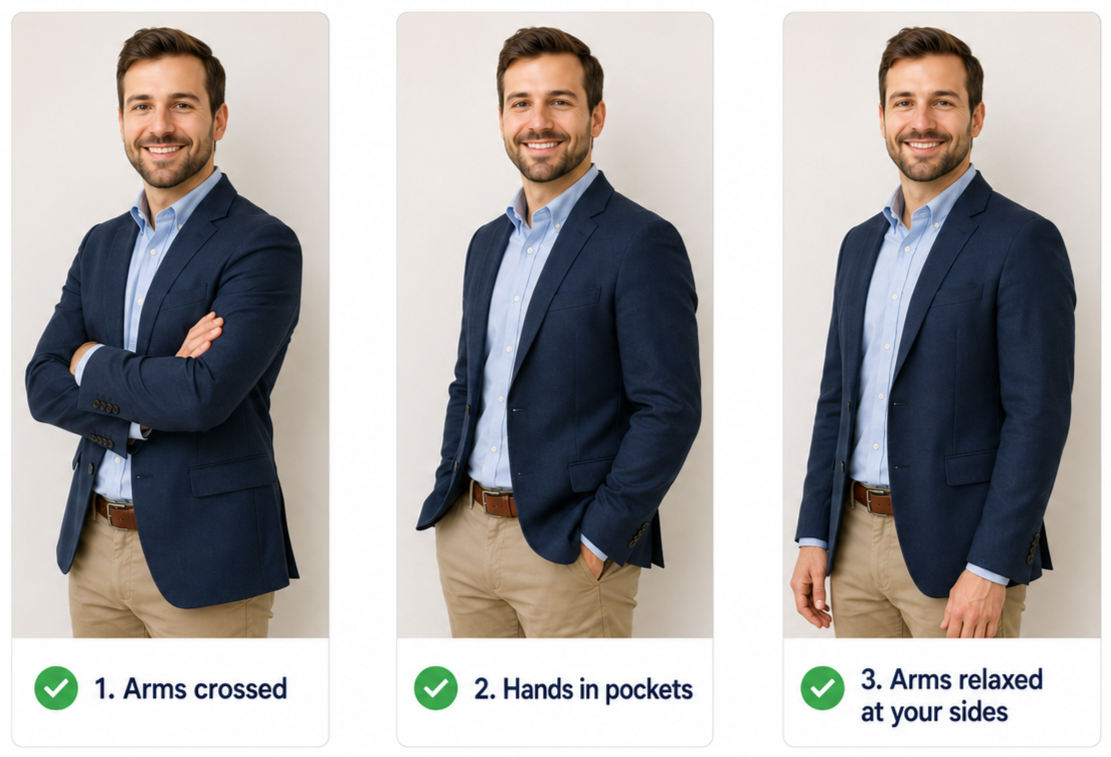
4. How to Pose
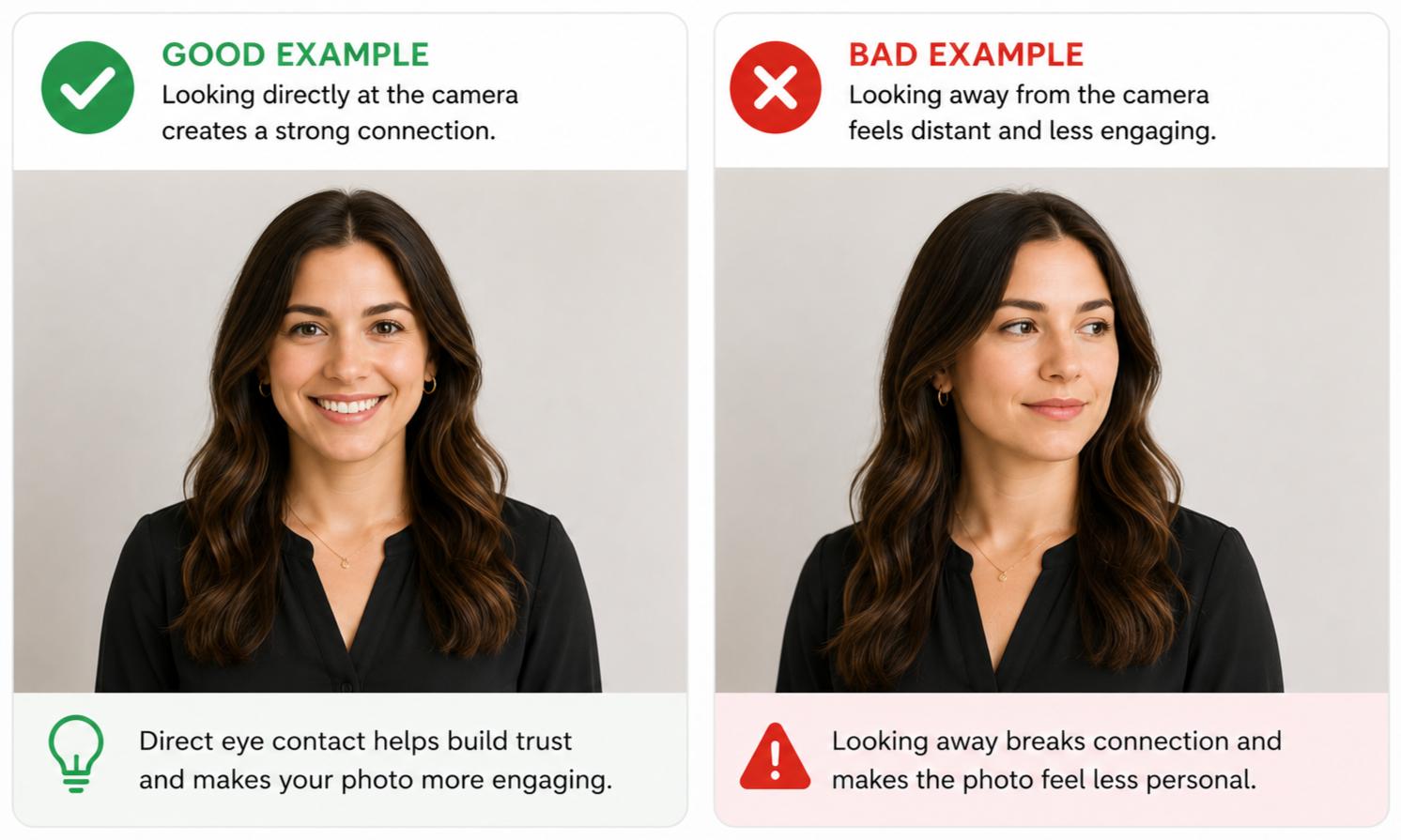
Stand for the photo, look directly into the camera lens, and use a relaxed, natural smile.
5. Use a Smartphone
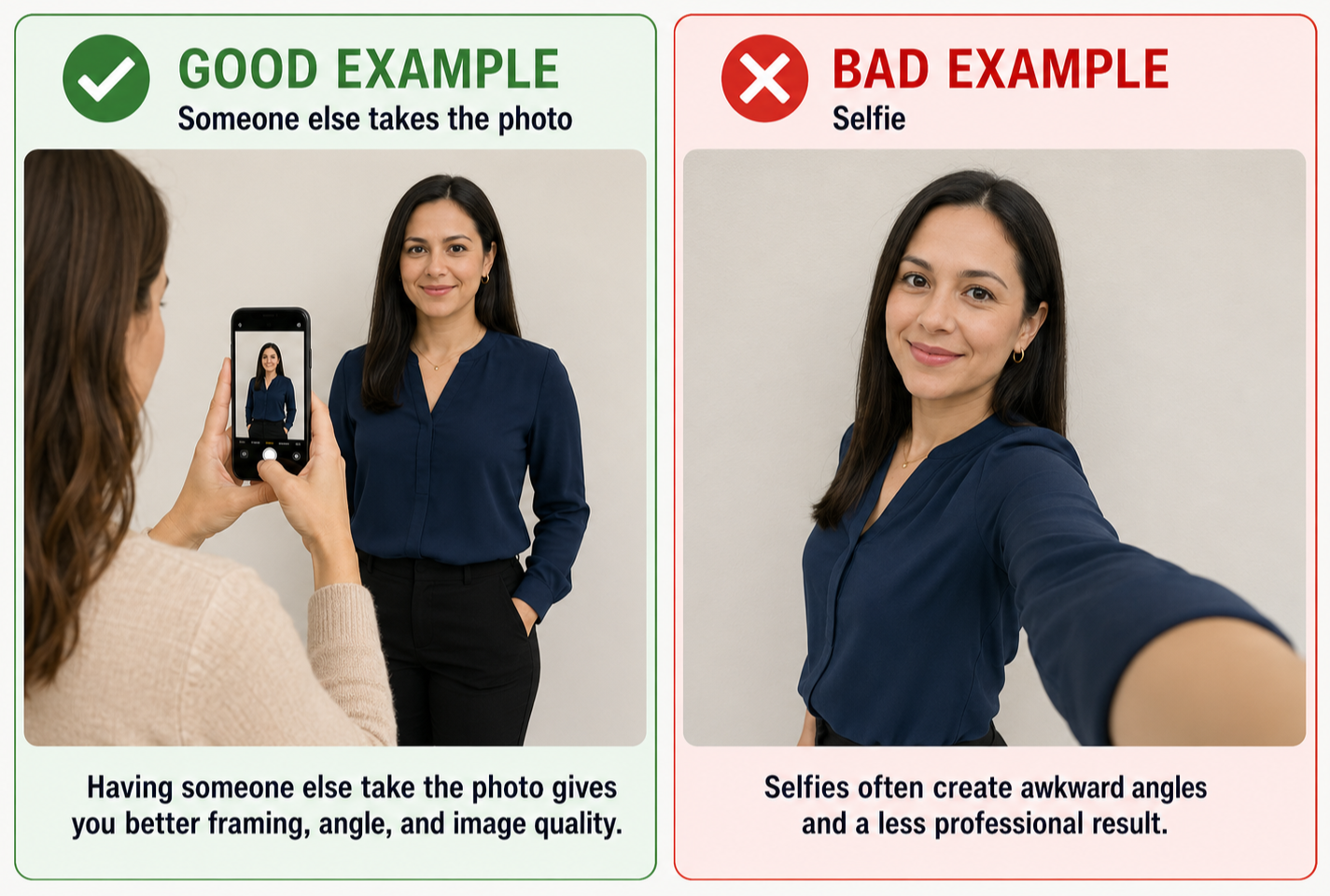
Have someone else take the photo with a smartphone, and clean the camera lens first for the clearest image.
6. Line Up the Shot
Stand 4–6 feet from the window with your feet facing it, turn your head 45 degrees, and have the photographer stand 4–6 feet away from you with the camera square to your face.
7. Frame It Vertically
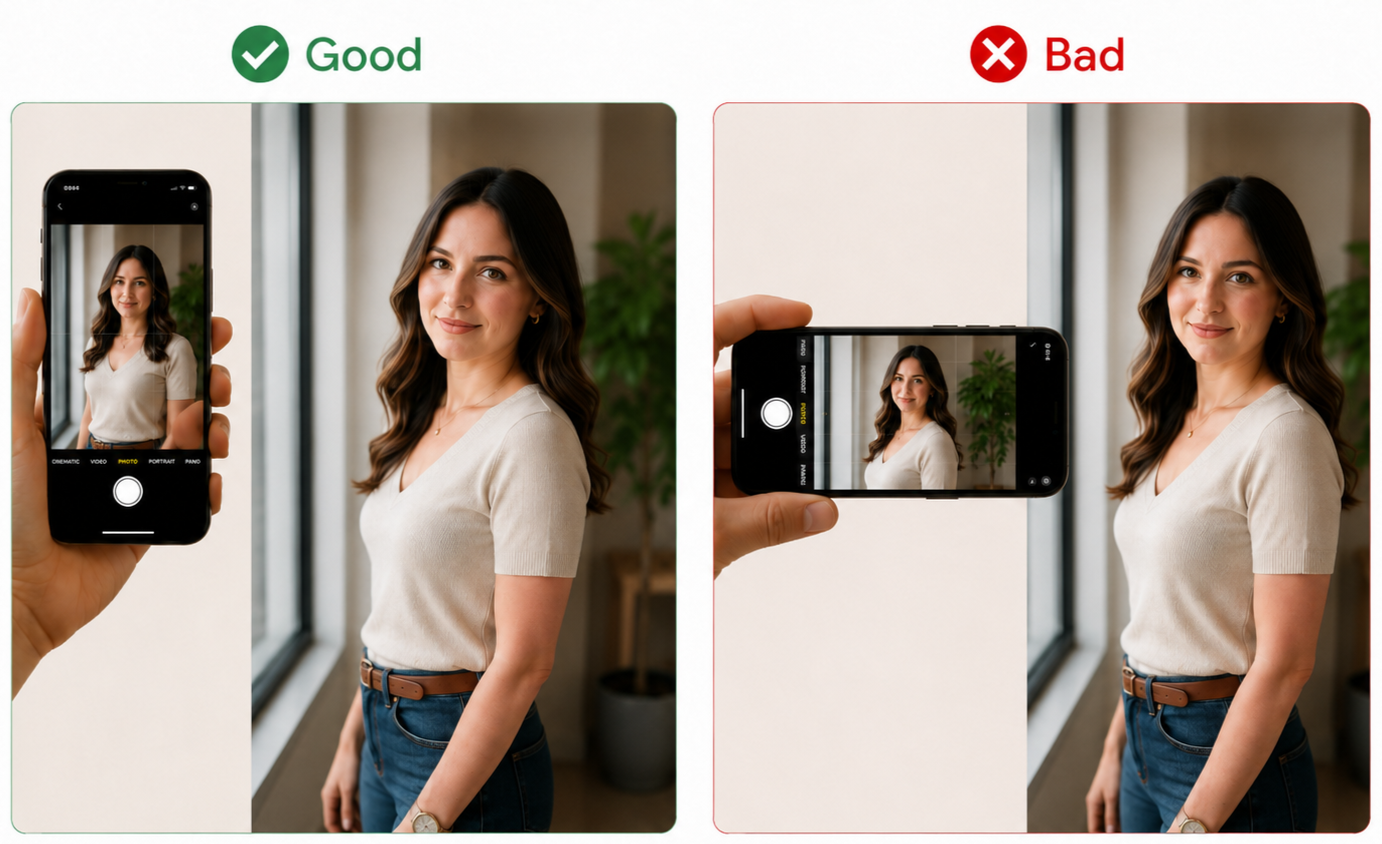
Take the photo vertically at eye level, without zoom, and frame it from the head to mid chest with a little space above the head.
8. Take Several Photos
Capture and upload several photos with small variations in pose, smile, and angle so there are multiple good options to choose from.